Pricing
Choose the plan that fits your team.
Start a full-feature 14-day free trial. Cancel anytime.
Basic
Workforce monitoring, AI productivity scoring, timesheets, and payroll.
$5 per seat / month
Billed monthly
Start Free Trial
Plan includes:
App & URL tracking with AI productivity classification
Workforce analytics & real-time dashboards
Automatic time tracking & optional screenshots
Timesheets, approvals & payroll exports
Invoice creation & branding
Email & chat support
Pro
More configurability, scheduling, leave, and client billing via Stripe.
$7 per seat / month
Billed monthly
Start Free Trial
Plan includes:
Everything in Basic
Shifts, scheduling & adherence
Leave, breaks & overtime
Client billing with Stripe
On-demand screenshots, 12-month retention
Custom roles, teams & project budgets
Enterprise
Governance, deployment, and support on your terms.
Custom
Annual billing · volume pricing
Request a Quote
Plan includes:
Everything in Premium
Custom retention
Customized onboarding & SLA
Basic
Workforce monitoring, AI productivity scoring, timesheets, and payroll.
$4per seat / month
Billed annually — save 20%
Start Free Trial
Plan includes:
App & URL tracking with AI productivity classification
Workforce analytics & real-time dashboards
Automatic time tracking & optional screenshots
Timesheets, approvals & payroll exports
Invoice creation & branding
Email & chat support
Pro
More configurability, scheduling, leave, and client billing via Stripe.
$5.50 per seat / month
Billed annually – save 21%
Start Free Trial
Plan includes:
Everything in Basic
Shifts, scheduling & adherence
Leave, breaks & overtime
Client billing with Stripe
On-demand screenshots, 12-month retention
Custom roles, teams & project budgets
Enterprise
Governance, deployment, and support on your terms.
Custom
Annual billing · volume pricing
Request a Quote
Plan includes:
Everything in Premium
Custom retention
Customized onboarding & SLA
Abstract turquoise and teal crystalline geometric shape on a white background.
Rating of four and a half gold stars out of five.
4.6/5 (1500 reviews)
Capbern brand logo with blue and orange text.
Row of five gold stars rating graphic on white background.
4.8/5 (2000 reviews)
NXP logo with teal geometric star shape and 'nxp' text in lowercase black letters.
Row of five gold stars rating graphic on white background.
4.2/5 (800 reviews)
Add-ons

Extend any plan

Attach to any tier, priced per seat. Prorated like seats.

More Screenshots

Raise screenshot capture from 18 to 60 per hour — 10 every 10 minutes — for teams that bill on proof of work.

Available on Basic, Pro & Premium

Extended Data Retention

Keep financial and operational records for 6 years, and extend monitoring data beyond your tier's default window.

Available on every tier

Add-ons

Extend any plan

Attach to any tier, priced per seat. Prorated like seats.

More Screenshots

Raise screenshot capture from 18 to 60 per hour — 10 every 10 minutes — for teams that bill on proof of work.

Available on Basic, Pro & Premium

Extended Data Retention

Keep financial and operational records for 6 years, and extend monitoring data beyond your tier's default window.

Available on every tier

FEATURE COMPARISON
Compare Our Plans
The complete list — every feature on every tier. Hover any feature for details.
Basic
$4/seat/mo
Start Free Trial
Pro
$5.50/seat/mo
Start Free Trial
Most Popular
Premium
$7/seat/mo
Start Free Trial
Enterprise
Custom
Request a Quote
Time Tracking
Automatic time tracking
Start a session and Modge does the rest — apps, activity, and hours are captured automatically and flow straight into timesheets
Manual Clock In/Out
Start and stop work sessions right from the desktop app.  
Idle detection
Detects when keyboard and mouse go quiet, so totals reflect real work — with thresholds you can set for the whole organization or per person.  
Project & billable tagging
Every session is tagged to a project, and projects can be marked billable — so hours roll up cleanly by project, client, or person.
Bill rates per member or project
Set bill rates per member, per project, or per member on a specific project — with effective-from dates. Billable amounts are calculated automatically in reports and invoices
Multi-monitor screenshot capture
Every connected monitor is captured, so the screen the work happens on is always the screen that gets tracked.
Auto time stop
Tracking stops itself after sustained inactivity or when daily or weekly hour limits are reached — all based on rules you set
Offline tracking & crash recovery
Sessions keep recording without internet and sync when you are back online. After a crash, tracking picks up the same session where it left off.
Multi-device tracking
Track from any registered device — one seat per person, unlimited devices.
Weekly work-hour limits
Cap tracked hours per day or per week — set an organization default, override per member. Tracking stops automatically at the limit.
Overtime rules & tracking
Working past the scheduled shift end is flagged as overtime in attendance and adherence reports.
Productivity & Activity
App & URL tracking
See which apps and websites people spend time in during tracked sessions — with timestamps and durations, down to the exact URL in the browser.
AI productivity classification
Every app and site is classified productive, neutral, or unproductive. AI suggests classifications — your organization rules always win.  
Per-role classification overrides
The same app can be productive for one role and a distraction for another. Set classification overrides per job title.
Real-time activity dashboard
A live board of who is working, idle, on break, or offline — with their current app and an up-to-the-minute productivity score
Per-person productivity scores
Productivity scores for every person, computed from their real activity — view by day and roll up to team or the whole organization.
Daily activity timeline
Each person's day as color-coded blocks — productive, neutral, unproductive, idle, and breaks — so you can see how the day actually flowed.  
Role-aware AI app classification
New apps get AI-suggested classifications automatically — and your organization-wide and per-job-title rules always take priority.
Keyboard & mouse activity levels
Aggregated input intensity shows how active each session was — counts only, never what was typed. Not a keylogger.
Screenshots
Optional screenshot capture
Screenshots are fully optional — turn them on or off for the whole organization or per person. Capture only ever happens during tracked sessions.
Configurable capture interval
Choose the cadence, from every few minutes to hourly. Set an organization default and fine-tune per member.
Configurable blur
Blur screenshots for privacy-sensitive roles — organization-wide or per individual.
Multi-monitor screenshots
Captures every active monitor on the workstation, so the screen the work is happening on is the screen that is recorded.  
Gallery filter & search
Jump to any day and filter by team member or project to find the screenshot you need in seconds.
Auto-retention policies
Control how far back each role can browse — members see 30 days, managers 90, owners unlimited.
3 months
12 months
24 months
Custom retention
Capture frequency
Capture up to 18 screenshots per hour on any plan — or up to 60 per hour with the More Screenshots add-on.
18 / hour (60 / hour via add-on)
On-demand screenshots
Need proof right now? Request an instant screenshot from any active tracking session.
Shifts & Scheduling
Day, week, and month calendar views
See the schedule by day, week, or month — with actual attendance overlaid so gaps and no-shows stand out immediately.
Recurring shift patterns (one-time, weekly, biweekly)
Build one-time, weekly, or biweekly shift patterns and assign them to people or whole teams in seconds.
Per-team shift assignment
Assign a shift to one person or an entire team in a single selection.
Per-person grace windows
Set grace windows for arrivals and departures — an organization-wide default with per-person overrides.
Late & missed shift notifications
Email and in-app alerts within minutes when someone arrives late or misses a shift.
Adherence scoring
Adherence percentages per person over any date range, with per-shift detail — filter by team to compare groups.
Attendance tracking (late & absent thresholds)
Late-after and absent-after thresholds compute each shift's attendance status automatically — on time, late, or missed.
Timesheets & Pay Periods
Automatic timesheet population
Tracked sessions fill the pay-period grid automatically. No daily logging forms, no end-of-week reconstruction.
Pay-period frequencies (weekly, semi-monthly, monthly, none)
Run weekly, semi-monthly, or monthly pay periods — or none, for raw time data. Set an organization default and override per member.
Manager approval workflow
Approve a whole pay period in one click, or deny it with a reason. Approval locks the period automatically
Audit trail on every manual edit
Every manual entry or edit is recorded with editor, timestamp, and reason — in an append-only log that cannot be rewritten.
Pay-period locking
Approved pay periods lock permanently — the numbers you signed off are the numbers that stay.
Paid leave policies
Approved paid leave drops into the matching pay period automatically — no double entry between leave and timesheets.
Payroll-ready CSV exports (generic, Wise, PayPal)
Export payroll-ready CSVs in generic, Wise, or PayPal format — reconciled against approved hours and paid leave.
PDF payroll reports
Save any pay period as a PDF for offline review and signature.
Payroll snapshots from approved time
Payroll runs are generated from approved, locked pay periods — the numbers cannot drift after sign-off.
Payroll adjustments (bonuses & deductions)
Add one-off or recurring bonuses and deductions to any payroll run — each records who added it, and everything freezes once the run is paid.
Member pay rates
Set what you pay each member, with effective dates — labor cost is calculated automatically across payroll, reports, and profitability.
Rates locked on period close
Pay and bill rates are stamped into every entry when the pay period is submitted — historical numbers never shift.
Reports & Exports
Tracked-hours reports
Hours per person, team, or project for any date range — sliced exactly how you need them.
Billable amounts reports
Billable hours and dollar amounts, calculated automatically from the bill rates you have configured.
Manual edit audit log
A dedicated report of every hand-entered or hand-edited hour — who changed it, when, and why — exportable for compliance reviews.
Adherence reports (per shift, person, team)
Adherence by person and by shift over any date range — filter by team to compare groups
App & URL usage reports
Top apps, top sites, productivity splits, and category breakdowns — by person, team, or the whole organization.
CSV & PDF export on every report
Filter any report, then export it as a PDF with your filters applied – tracked-hours data also exports to CSV.
Organization dashboard
Stat cards and an hours-tracked chart summarize the whole organization the moment you log in.
Leaderboards & rankings
Top performers, most hours tracked, and top categories — ranking widgets that make momentum visible at a glance.
Suspicious activity & mouse-jiggler detection
Detects known auto-clickers, mouse jigglers, and input simulators — and flags unusual activity patterns — so the activity you see is activity that really happened.
Burnout-risk insights
Early warnings built from real signals — sustained long hours, after-hours work, rising idle time, and skipped time off — before they turn into resignations.
Profitability report
Revenue versus labor cost — by project, client, team, or member. Know which work actually makes money.
Leave Management
Custom leave policies
Create paid and unpaid leave types with annual hour allowances — assign them per member or automatically to everyone new.
Custom break policies
Define paid and unpaid breaks with duration and frequency rules — break time is tracked against policy and unpaid breaks are deducted automatically.
PTO request workflow
Employees request leave in-app; managers approve or deny in one click, with the reviewer and timestamp recorded on every decision.  
Auto-assigned default policies
New members automatically inherit your default leave and break policies — onboarding never breaks the system.
Approved leave inserts into timesheets
The moment paid leave is approved, the hours appear on the matching pay period automatically.
Roles & Permissions
Built-in roles (Owner, Admin, Manager, Member, Viewer)
Owner, Admin, Manager, Member, and Viewer roles work out of the box — enforced with row-level security in the database itself, not just the interface.  
Custom roles & granular permissions
Build your own roles with fine-grained permissions per feature area — and control how far back into history each role can see.
Manager-team scoping
Managers see only the teams and projects they manage — everything else is hidden at the database layer, not just in the interface.  
Multi-manager support
A team can have as many managers as it needs — each with independent visibility into the team's data.
SSO (SAML 2.0) (Soon)
Single sign-on through your identity provider — centralized access control and instant offboarding.
Security & Compliance
HIPAA Compliant
Compliant with US healthcare data protection standards.  
SOC 2 Type II certified (soon)
Independently audited controls for security and availability.
ISO 9001 Certified (soon)
Certified quality management system.
Support & Onboarding
Email support
 Email the Modge team directly at support@modge.com — real humans on every plan.  
Chat support
Chat with us from right inside the app — quick answers without leaving your dashboard.  
Help center & docs
Step-by-step guides and documentation for every feature — so your team can self-serve answers.
Customized onboarding
A structured rollout tailored to your teams, policies, and setup – we do the heavy lifting with you.
Dedicated account manager
A named contact who knows your account and your setup — one message away, no ticket queue.
Priority response SLA
Contractual response times with front-of-queue handling.
Invoicing & Client Billing
Invoice creation & sharing
Build invoices from approved hours or custom line items. Download as a PDF, email them, or share a payable link
Branded invoices
Your logo, business name, and address on every invoice.
Online invoice payments
Clients pay online by card or ACH bank transfer — processed through your own Stripe account, so funds go straight to you.  
Auto-invoicing on billing cycles
Invoices generate themselves on the cycle you choose — weekly to annually — with optional auto-charge for clients with a saved payment method.
ACH bank payments
Accept ACH bank transfers with settlement tracking from initiation through paid.
Refunds
Issue full or partial refunds without leaving Modge.
Client deposits & retainers
Collect deposits up front with dedicated deposit invoices, and see each client's deposit balance at a glance.
Off-cycle invoices
Send a one-off invoice any time — outside the regular billing cycle.
Contract signing
Send contracts for e-signature and store them alongside the client's billing — you can even require a signed contract before an invoice can be paid.
Projects, Clients & Teams
Projects & clients directory
All projects and the clients they belong to, in one organized directory.  
Project tracking
All tracked time lands on a project — so hours roll up cleanly by project, client, or person.  
Project budgets
Set a budget on any project and keep client work from quietly running over.  
Teams
Group members into teams for scheduling, reporting, and manager permissions.  
Per-project managers
Give someone manager visibility on a single project — without opening up the rest of the organization.  
People & Administration
Member management
Invite, edit, and deactivate members — and recover deactivated members with their history intact.
Job titles directory
 Job titles power per-role app classification and role-based insights.  
Notification rules
Decide which alerts go to whom — by email, in-app, or both.  
Organization settings
Timezone, tracking, monitoring, attendance, and classification policy — one settings hub for the whole organization.
Onboarding wizard & checklist
A guided setup wizard plus a getting-started checklist — from zero to tracking in minutes.
SECURITY

Privacy & security you can trust

Modge is built with enterprise-grade security: SOC 2 Type II certified, ISO 9001 certified, and HIPAA compliant. Data is encrypted at rest and in transit, with full audit trails on every change.

image

ISO 9001 Certified

image

HIPAA Compliant

image

PCI DSS Compliant

image

SOC 2 Type II Certified

Built for productivity. Designed for trust.

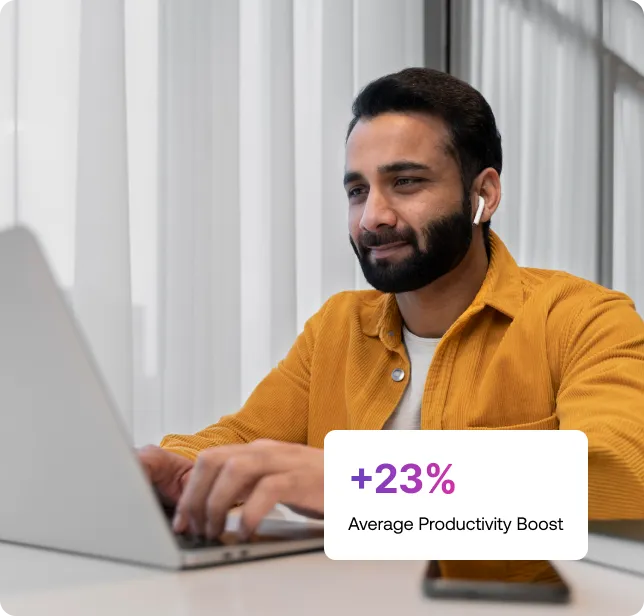
Teams using Modge report meaningful productivity gains within the first 30 days, plus less time spent reporting and more time spent improving.
list-icon
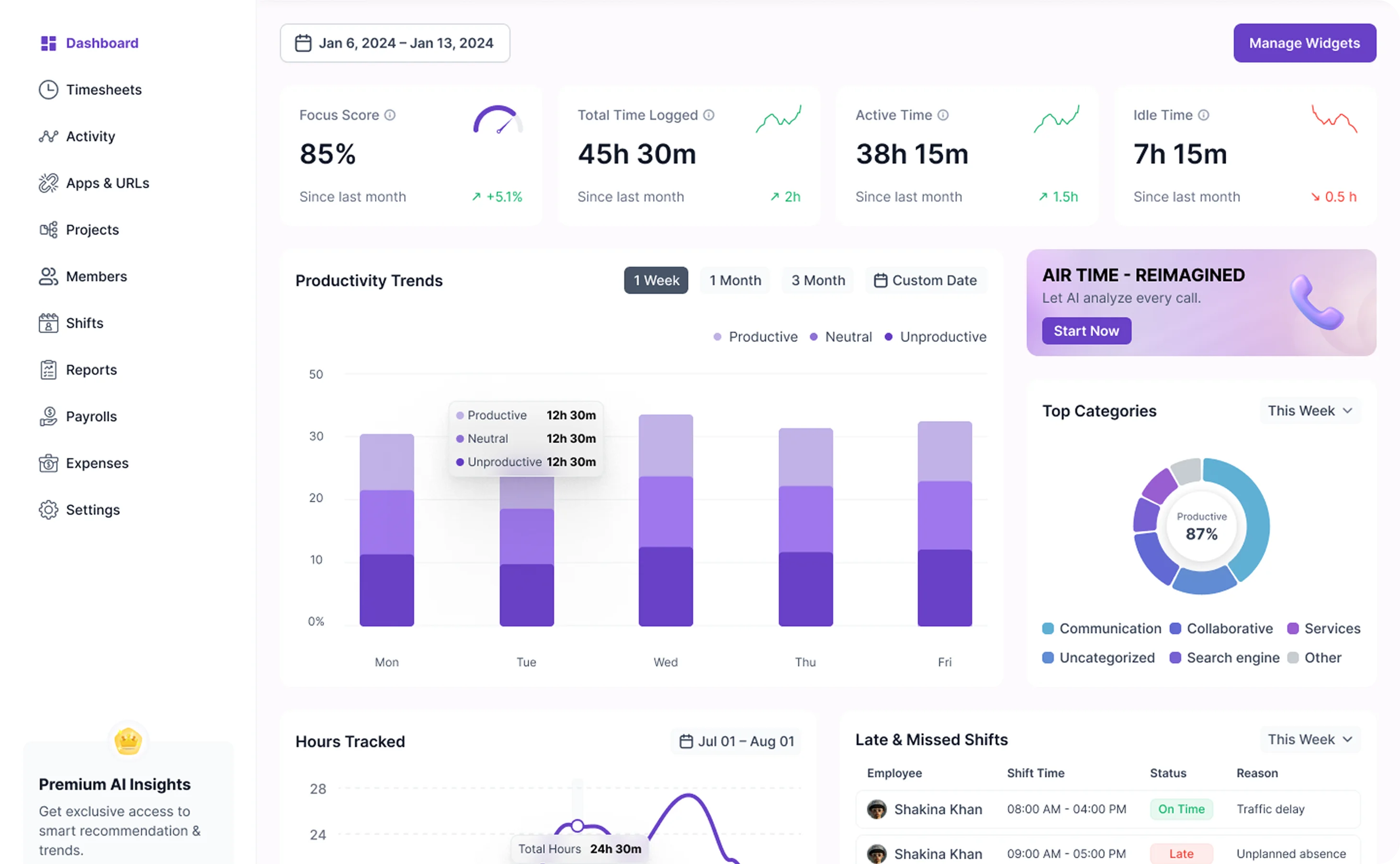
Real-time activity mapping that surfaces patterns, not punishments
list-icon
Productivity scores driven by configurable rules, not black-box AI
list-icon
Reports that explain where the number came from, every time
image
FREQUENTLY ASKED

Frequently asked questions

How does Modge's pricing work?

Each user counts as one seat regardless of how many devices they use Modge on. You're billed per seat for the plan you choose. Annual billing saves 22% over monthly. Add or remove seats anytime; changes are prorated.

Who counts as a billable user?

Anyone whose time the desktop agent tracks counts as a billable seat. Admins, managers, and viewers who don't have the agent installed and tracking aren't billed.

Is there a free trial?

Yes. 14 days, full feature access. Cancel anytime from your dashboard during or after the trial.

Do you offer on-premise data storage?

Each employee counts as one user, regardless of how many devices they use Modge on. You will be billed for each user based on the user pricing for the plan you have selected. Additionally, users with Admin, Manager and Client access won’t be charged, unless you’re using Insightful to track their activities as well.

Can I add new users mid-billing-cycle?

Yes. New users are prorated to the current billing period. You'll see the additional seat on the next invoice.

What happens after the trial ends?

Convert to a paid plan to keep going. If you don't, your account stays read-only for 30 days so you can export your data. After that, the account is removed from our systems.

Can I cancel anytime?

Yes. Cancel from settings; your subscription runs through the end of the current billing period and won't renew.

Do you offer on-premise deployment?

Convert to a paid plan to keep going. If you don't, your account stays read-only for 30 days so you can export your data. After that, the account is removed from our systems.

How is sales tax or VAT handled?

Sales tax or VAT is added at checkout based on your billing address. Tax-exempt organizations can submit documentation through support to apply the exemption to future invoices.

Do you offer discounts for non-profits or annual prepay?

Annual billing is 20% off list price for both Pro and Enterprise. Non-profit and academic discounts are available on request through support.

Start tracking smarter, free for 14 days

Get full access instantly.

image